

Remove Admin Rights Without Breaking Productivity
Replace standing local admin rights with just-in-time elevation. Users request access when they need it, IT approves once against a policy, and the rights expire automatically.
Download and Use for Free
The User Flow Before and After
Before: User has permanent admin rights. They install software whenever they want, change settings on their own, and any malware that runs gets the same level of access.
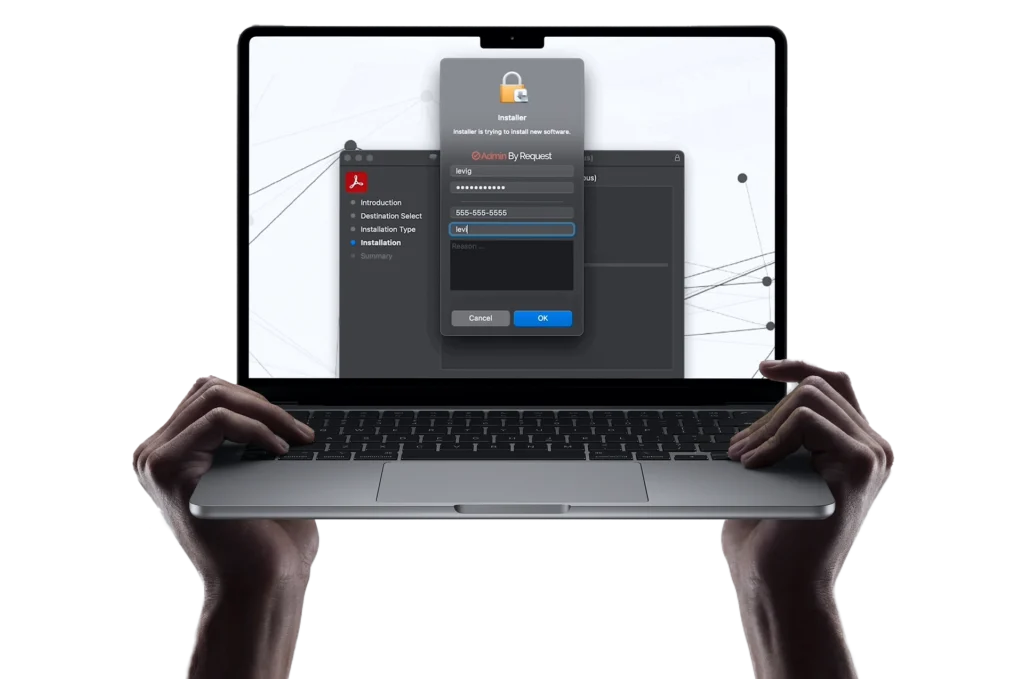
After: User has standard rights by default. They double-click an installer, the EPM prompt asks for justification, the request elevates against policy (or sits in IT’s approval queue), the app runs with elevated rights, and the user’s account returns to standard the moment the task ends. For trusted applications (vendor-signed installers, internal tools, common admin utilities), pre-approved rules let elevation happen automatically with no prompt at all. The user notices no difference in their day-to-day work.
Get 25 Endpoint Privilege Management, Secure Remote Access & Web Access Management seats, free.
Fill out the form with your work email and we’ll send your credentials to your inbox.
Why Standing Admin Rights Are a Problem
When users have permanent local admin rights, every piece of malware they run inherits those rights too. Ransomware uses admin permissions to disable security tools, encrypt files across they system, and move laterally to network shares. Credential theft tools use them to scrape password hashes. A single phishing click on an admin accounts does damage that a standard-user-account contains automatically. Removing local admin rights is one of the highest-impact security controls available, which is why it sits in nearly every hardening guide and compliance framework. The catch is the productivity side. Users still legitimately need to install software, change network settings, or update printer configurations, and stripping admin rights without a replacement workflow just pushes the cost into helpdesk tickets.
How EPM Replaces Standing Admin Rights
Endpoint privilege management software gives you the security benefit of removing admin rights without the productivity hit. Users keep standard accounts, and when they need elevated access for a specific task, they request it through the EPM agent. The request is either auto-approved against your policy (for trusted apps and vendors) or routed to IT for one-click approval. Once granted, the elevation applies only to that task and expires when done.
The standing-admin-rights problem disappears. Audit logs capture every elevation with the user, application, command, and timestamp. Pre-approved applications elevate automatically without slowing users down, and anything suspicious gets caught before it runs.
Award Winning Solutions
We provide award-winning SaaS-based solutions to standing admin rights, overloaded helpdesks, outdated remote access infrastructure, malicious downloads, and internet access management.




Endpoint Privilege Management

Just-in-time elevation
across Windows, macOS, and Linux endpoints
OPSWAT malware scanning
on every elevation request, checking against 2-+ antivirus vendors
Mobile approvals
so IT can approve requests from anywhere
25 endpoints free forever
on the Free Plan, with full feature access
Pre-approved applications
based on file location, vendor, or checksum
Full audit trails
with user, application, timestamp, and outcome on every elevation
Offline support
via PIN codes for endpoints off the network
Frequently Asked Questions
Deploy an EPM agent that handles elevation requests on demand. Users keep standard accounts and request elevation only when they need it, with pre-approval rules covering trusted apps. The day-to-day workflow stays the same for most tasks.
Least privilege software (a category that includes EPM) enforces the principle that users should only have the minimum permissions needed for their work. It typically replaces standing admin rights with on-demand elevation, with full audit logging.
EPM significantly reduces the impact of ransomware by ensuring that user accounts don’t have the elevated rights ransomware typically relies on to disable security tools and encrypt protected files. It’s not a complete defence by itself, but removing admin rights is one of the most effective controls available against ransomware spread.
Developers, IT staff, and other users who regularly need elevated access can be configured for time-limited Admin Sessions instead of permanent rights. They request a session, work with elevated rights for a defined window, and the rights revoke automatically when the session ends.
Pre-approval rules handle trusted applications automatically with no manual approval needed, so the volume that reaches IT is much smaller than the current volume of admin-rights helpdesk tickets. Most organisations see a net reduction in ticket volume after deploying EPM.
Yes. The same agent and policies cover Windows, macOS, and Linux endpoints from a single portal.