

The Microsoft Intune EPM Alternative Built for Mixed Environments
Endpoint Privilege Management for Windows, macOS, and Linux, with a 2MB agent that deploys in minutes and runs independently of Microsoft 365.
Manage local admin rights and control endpoint access to reduce the risk of breaches and failed audits without slowing down your team.
Download and use for free or book a demo and let us show you.
Get 25 Endpoint Privilege Management, Secure Remote Access & Web Access Management seats, free.
Fill out the form with your work email and we’ll send your credentials to your inbox.
Why IT Teams Look for an Intune Alternative
Microsoft Intune EPM works if your environment is Windows-only and you’re already committed to the E5 tier.
For everyone else, the gaps add up quickly.
Admin By Request’s EPM solution was built for privilege management from day one. It’s been refined over more than a decade across millions of endpoints, with a 2MB agent that runs natively on Windows, macOS, and Linux from a single management portal.
- Tied to E5 of the Intune Suite add-on, with no way to run it without Microsoft 365 licensing.
- Windows only, no support for macOS or Linux endpoints.
- Policy changes can take Intune up to 30 minutes to reach endpoints, and activity logs can lag by up to 24 hours.
- No built-in malware scanning, no offline mode, no emergency admin access, no helpdesk escalation.
See how an Admin Session works
Microsoft Intune EPM Alternative: Side by Side
Capability
Admin By Request EPM
Microsoft Intune EPM
| Platform Support | Windows, macOS, Linux | Windows 10/11 only |
| Agent Size | 2MB | 20MB + extension |
| Policy sync | Instant | 20-30 minutes |
| Activity reporting | Real-time | Up to 24 hours |
| Offline mode | PIN code support | Not available |
| Malware scanning | OPSWAT MetaDefender 37+ AV engines | None |
| Admin sessions | Yes | Not available |
| Support assist | Yes | Not available |
| Break Glass | Yes | Not available |
| Mobile app approvals | Yes | Portal only |
| Microsoft 365 required | No | Yes (Intune Plan 1 minimum, or E5) |
| Free tier | 25 endpoints, no time limit | Trial only |
*Sourced from Microsoft Intune EPM documentation, July 2026
What an Intune Alternative Should Actually Solve

Multi-platform support without a second tool
Intune EPM is Windows-only. If your team also runs macOS or Linux endpoints, you’re either leaving those machines out of your privilege management strategy or stitching together separate tools for each OS.
Our EPM solution covers Windows, macOS, and Linux all in one agent, one portal, and one set of policies. Same approval workflows, same audit logs, no fragmentation.
Real-time visibility instead of waiting a day
Intune EPM activity reporting can take up to 24 hours, with policy syncing taking another 20 to 30 minutes on top. That’s a long window when a user has just elevated something they shouldn’t have.
Admin By Request EPM syncs policies instantly and populates audit logs in real time. You see what’s happening on your endpoints as it happens, not the next morning.
No Microsoft 365 dependency
Intune EPM is licensed through the Intune suite. E3 customers need to purchase the EPM add-on separately, while accessing it without the add-on requires upgrading to a Microsoft 365 E5 subscription.
Our EPM solution doesn’t require Microsoft 365 or Intune to run, but it integrates with the rest of the Microsoft stack where you need it to. Entra ID, Active Directory, Office 365 SAML SSO, and standard Windows deployment tools like SCCM and Intune are all supported.
Built-in malware scanning, not just elevation
Intune EPM elevates applications based on policy, but doesn’t check files for malware before elecation. If a user runs something malicious that matches an approved rule, Intune doesn’t stop it.
Admin By Request EPM integrates OPSWAT Metadefender, which checks every elevation request against over 37 antivirus vendors in real time. Suspicious or malicious files are blocked or quarantined before they ever run with elevated rights.
Full documentation, certifications, and reports are available in our Trust Center (on English Website)
Inside the Product
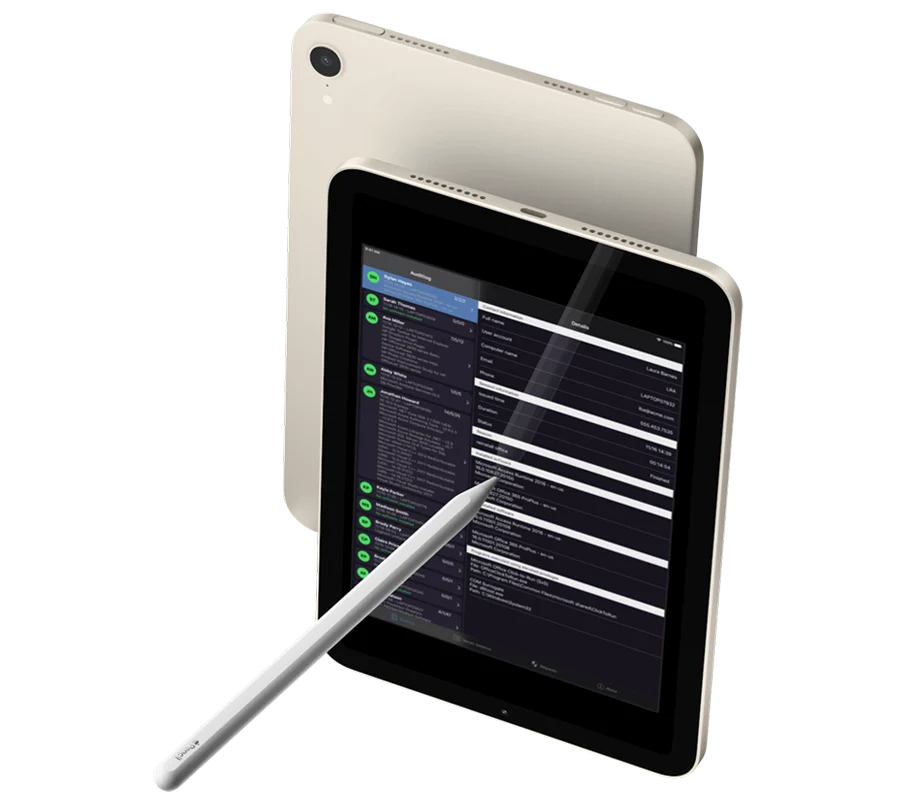
Just-in-time privilege elevation across Windows, macOS, and Linux endpoints.
Full audit trails with elevation logs, approval workflows, and session recording.
Role-based access control with MFA support and SSO integration (Entra ID, SAML, Office 356).
Tenant-wide licensing covering all supported operating systems from a single portal.
25 endpoints free forever on the Free Plan with full feature access.
What’s Missing From Intune EPM
Intune EPM covers application-level through pre-approved rules or manual approval. That’s the baseline. Several features that enterprise IT teams use daily aren’t there.
Support assist
Helpdesk staff can’t temporarily inherit a user’s elevated rights to troubleshoot an issue. They have to log in as a separate admin account, which breaks the audit trail.
Admin sessions
Users can’t get time-limited system-wide elevation for tasks involving multiple elevated operations. Each action requires a separate approval.
Break Glass
If a device becomes disjoined from your directory, there’s no emergency admin access through Intune EPM. E5 customers may have LAPS available as a separate tool, but it’s another thing to manage.
Offline mode
If a device isn’t connected to the network, users can’t elevate anything through Intune EPM. Our agent works offline using PIN codes generated by the helpdesk.
System Level Elevation
Intune EPM struggles with Control Panel, Regedit, and other system tools that admins regularly need to elevate.

DSGVO and Data Residency
For organisations operating in Germany and the EU, our EPM solution is hosted in EU-based datacentres in Germany, with full DSGCO compliance and data residency in the EU.
This means audit logs, elevated requests, and inventory data are subject to EU regulations and stored in EU territory.
For organisations whose risk frameworks also factor in CLOUD Act exposure across cloud providers, this is a separate evaluation that applies to most major SaaS infrastructure today, including Microsoft’s.
Award Winning Solutions
We provide award-winning SaaS-based solutions to standing admin rights, overloaded helpdesks, outdated remote access infrastructure, malicious downloads, and internet access management.





Frequently Asked Questions
Yes. Our Free Plan gives you 25 endpoints with full feature access, no time limit, and no payment details required. Deploy it alongside Intune EPM and compare the two directly in your own environment.
It depends on what you already license. If you’re an M365 E5 customer, Intune EPM is bundled at no extra cost from July 2026. If you’re on E3 or below, you’ll need the Intune Suite add-on or an E5 upgrade to get it. Our EPM solution is priced per endpoint with no Microsoft licensing required, which removes that variable entirely. Talk to us about pricing for your environment.
Yes. Our EPM solution runs independently of Microsoft 365, Intune, and Entra ID. It works with Active Directory, Entra ID, standalone workgroup endpoints, or any combination, all from the same portal.
Not really. Intune EPM requires either an Intune Plan 1 subscription with the EPM add-on, or a Microsoft 365 E5 subscription (which includes EPM from July 2026). Our solution has no such dependency.
Yes. Our EPM agent runs natively on Windows, macOS, and Linux with the same feature set and the same management portal across all three. Intune EPM is currently Windows-only.
The agent is 2MB and silently installs through SCCM, Intune, Jamf, or any other deployment tool. Most organizations have it running across their endpoints within an afternoon. Intune EPM requires the 20MB+ extension on top of existing Intune infrastructure, and rollback during testing can take up to 7 days.